

Description
Download AM Tunnel vpn APK – secure, customizable, free VPN for Android
Overview
AM Tunnel vpn is a free desktop and mobile security tool developed by AM TECHNOLOGY, designed to enhance online privacy and protect user data through encrypted internet connections. The software functions as a virtual private network (VPN), enabling users to mask their IP address and secure their web traffic from potential threats such as hackers and third-party trackers. It is intended for individuals seeking a straightforward way to browse the internet safely, particularly those who prioritize digital privacy without the need for advanced technical knowledge.
The application supports multiple server locations, allowing users to connect to various networks optimized for different online activities, including streaming, gaming, and general browsing. This flexibility helps users tailor their online experience based on speed, latency, and regional availability. While the software is primarily marketed for Android users, the APK file format suggests it is intended for installation on Android-based devices. The developer did not provide additional information about the software’s origin or corporate background beyond the name AM TECHNOLOGY.
Real-world use cases include accessing region-restricted content, securing public Wi-Fi connections, and maintaining anonymity during online transactions. Despite its free model, the app aims to deliver a stable and high-speed connection, making it suitable for both casual users and those with moderate privacy needs. However, the developer did not specify whether the software supports offline usage or automatic updates.
Key Features & Capabilities
- IP Address Masking – Conceals the user’s real IP address to prevent tracking by websites, advertisers, and malicious actors.
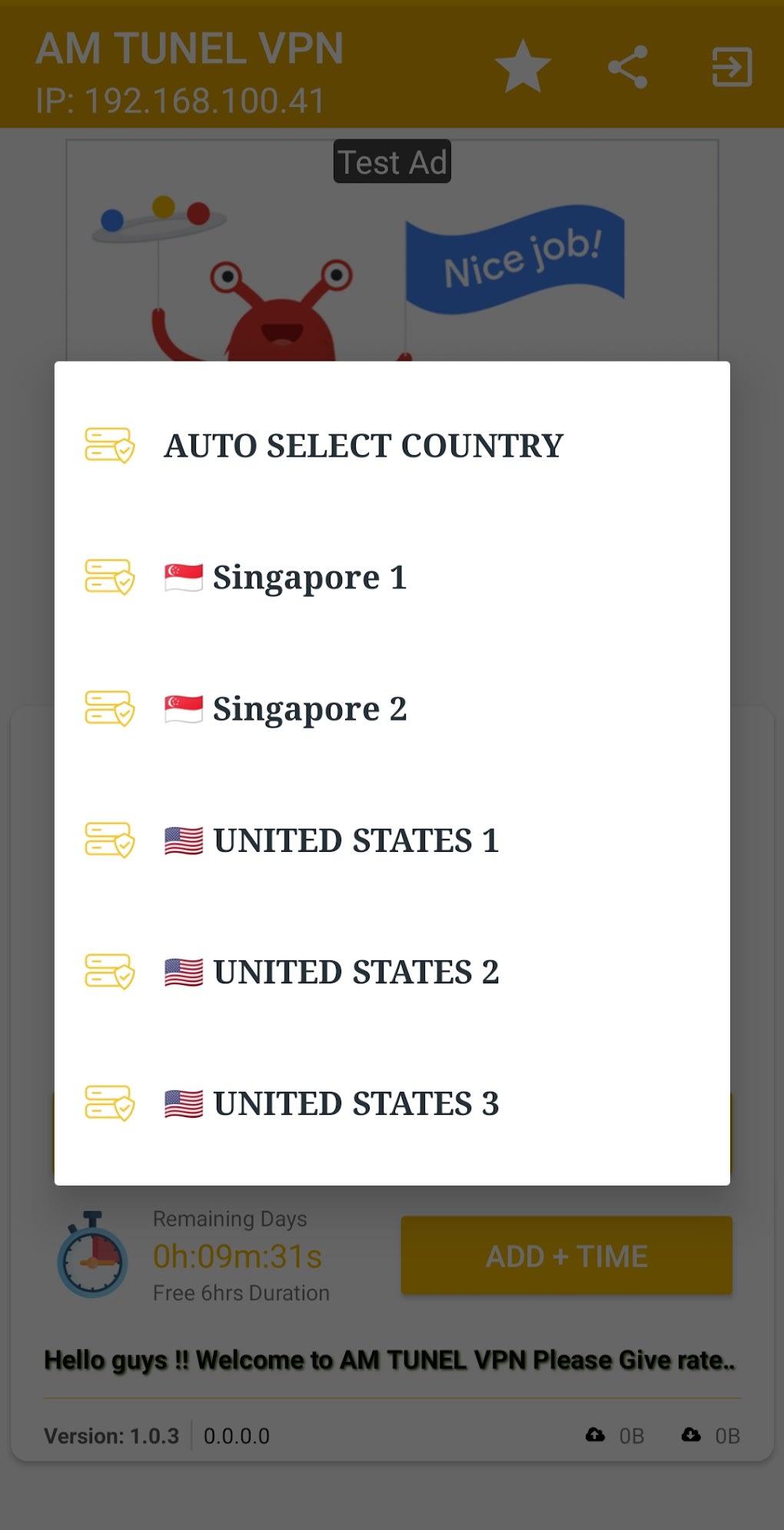
- Multiple Server Locations – Offers access to a range of global servers to choose from, enabling users to select the best connection based on speed and purpose.
- High-Speed, Stable Connections – Optimized for streaming, gaming, and general browsing, providing consistent performance across various online tasks.
- User-Friendly Interface – Designed for ease of use, allowing users with minimal technical experience to quickly connect and manage their VPN session.
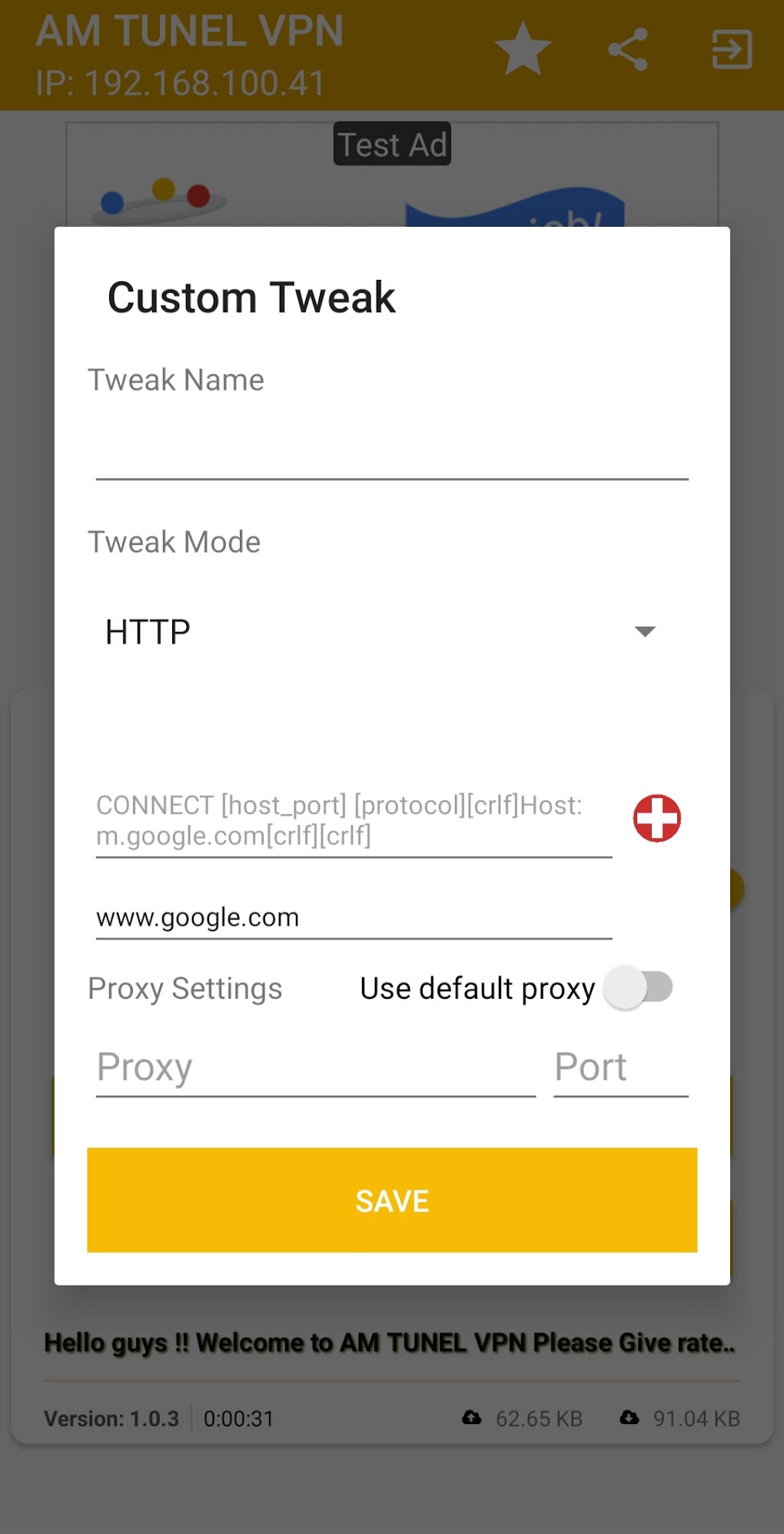
- Custom Proxy Configuration – Advanced users can create and upload custom proxy settings, facilitating sharing across devices or with peers.
- Connection Monitoring – Displays real-time data such as connection duration, upload and download speeds, and server status.
These features collectively support a secure and adaptable browsing experience. For instance, users can switch servers to bypass geo-restrictions or improve latency during online gaming. The ability to monitor connection metrics helps users assess performance and troubleshoot issues. The customization option caters to power users who require tailored network setups, though the developer did not provide guidance on configuration file formats or compatibility standards.
User Interface, Workflow & Performance
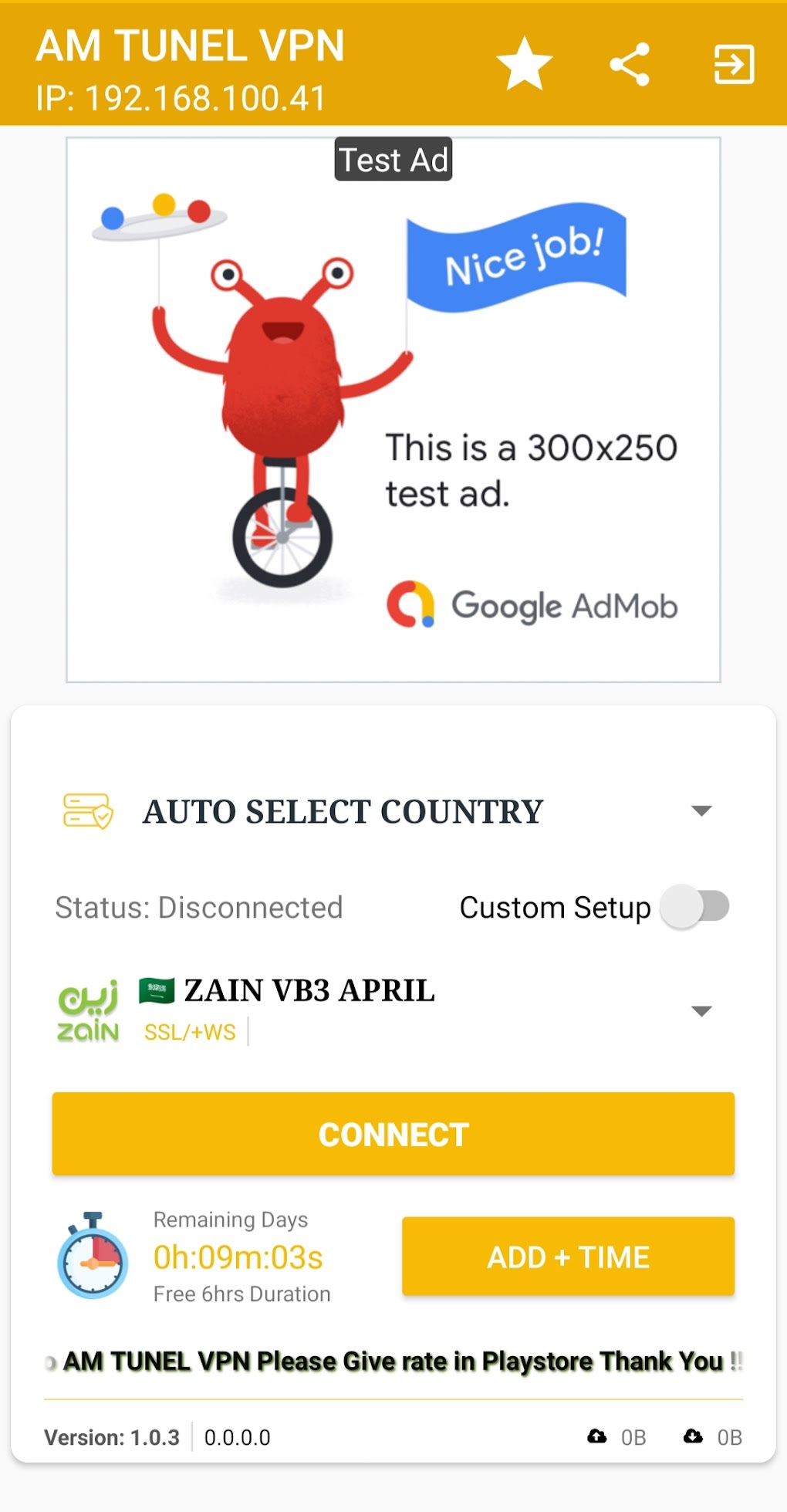
AM Tunnel vpn features a clean, intuitive interface that prioritizes accessibility. Navigation is straightforward, with a main dashboard displaying active connection status, available servers, and performance metrics. Users can initiate a connection with a single tap, and the app provides visual feedback during the connection process. Workflow efficiency is enhanced by the inclusion of real-time speed monitoring and connection duration tracking, which help users make informed decisions about server selection.
The software’s performance is described as stable and high-speed, though exact performance details were not specified. General behavior patterns suggest it operates efficiently under normal conditions, but some users have reported frequent app crashes and delays when connecting to certain servers. These issues may impact workflow consistency, particularly during extended sessions. The developer did not specify resource usage details such as CPU or RAM consumption, nor did they provide information about background operation or battery impact.
Stability appears to vary depending on server load and network conditions. While the app functions as intended once connected, recurring crashes may disrupt user experience. No official troubleshooting tools or logs were mentioned. Users are advised to attempt re-launching the app after crashes, though no alternative methods were documented.
Compatibility & System Requirements
AM Tunnel vpn is available as an APK file, indicating compatibility with Android operating systems. The software is designed for installation on Android devices, though the specific version requirements were not provided. Installation size is not specified in the input, and no hardware requirements were listed. The developer did not clarify whether the software supports older Android versions or newer ones with enhanced security features.
Platform compatibility information is limited. It is recommended to download the APK from the official website to ensure authenticity and access to the latest version. The app may not be available on all official app stores due to policy restrictions related to VPN services. Users should exercise caution when downloading from third-party sources to avoid potential security risks.
Pros and Cons
Pros
- Free to use with no subscription required
- Supports multiple server locations for flexible connection options
- High-speed, stable connections optimized for streaming and gaming
- Intuitive interface suitable for non-technical users
- Custom proxy configuration for advanced users
- Real-time monitoring of connection speed and duration
Cons
- Frequent app crashes reported by users
- Some servers experience long connection times
- Exact system requirements were not listed
- No official update mechanism mentioned
- APK distribution may pose security risks if not downloaded from trusted sources
FAQ Section
Is AM Tunnel vpn available for Windows or Mac?
The software is currently distributed as an APK file, which is designed for Android devices. There is no information indicating support for Windows or Mac operating systems.
Can I use AM Tunnel vpn offline?
The developer did not specify whether the app supports offline usage. It is designed to function during active internet sessions and may require an online connection to establish a tunnel.
Is the app safe to download and use?
While the app is marketed as a secure tool, users should only download the APK from the official website to minimize the risk of malware or tampered versions. Third-party sources may not guarantee authenticity.
How often does the app update?
Updates may occur frequently to address bugs and improve performance, but the developer did not provide a specific update schedule or mechanism.
What license type does AM Tunnel vpn use?
The software is offered as free-to-use, with no subscription or paid tiers mentioned. The exact licensing model was not disclosed.
Final Thoughts + CTA
AM Tunnel vpn presents a compelling free option for users seeking to protect their online privacy and enhance browsing security. Its customizable server network, user-friendly interface, and support for advanced configurations make it a versatile tool for both beginners and experienced users. While the app shows promise in delivering fast, stable connections, recurring crashes and inconsistent server response times may hinder reliability.
Despite these drawbacks, the software remains a viable choice for Android users who value accessibility and privacy without financial commitment. The ability to create custom proxy settings adds significant value for power users. For optimal results, it is recommended to download the latest version directly from the official website to ensure security and performance improvements.
Download AM Tunnel vpn now and take control of your online privacy with a secure, customizable, and free solution.
Guides & Tutorials for AM Tunnel vpn APK
How to install AM Tunnel vpn APK
- Click the Preview / Download button above.
- Once redirected, accept the terms and click Install.
- Wait for the AM Tunnel vpn APK download to finish on your device.
How to use AM Tunnel vpn APK
This software is primarily used for its core features described above. Open the app after installation to explore its capabilities.
User Reviews for AM Tunnel vpn APK 0
No reviews found





